See what needs a decision
Keep priorities, outside waits, compliance, permits, customer commitments, and money visible without chasing updates across separate systems.
 ELEVRA OSCONSTRUCTION OPERATIONS
Start the day with the right job and the next action. Capture progress from your phone, then manage the full picture from your desktop.
The app is free to download. Live business records require an approved company workspace.
Explore the sample workspace →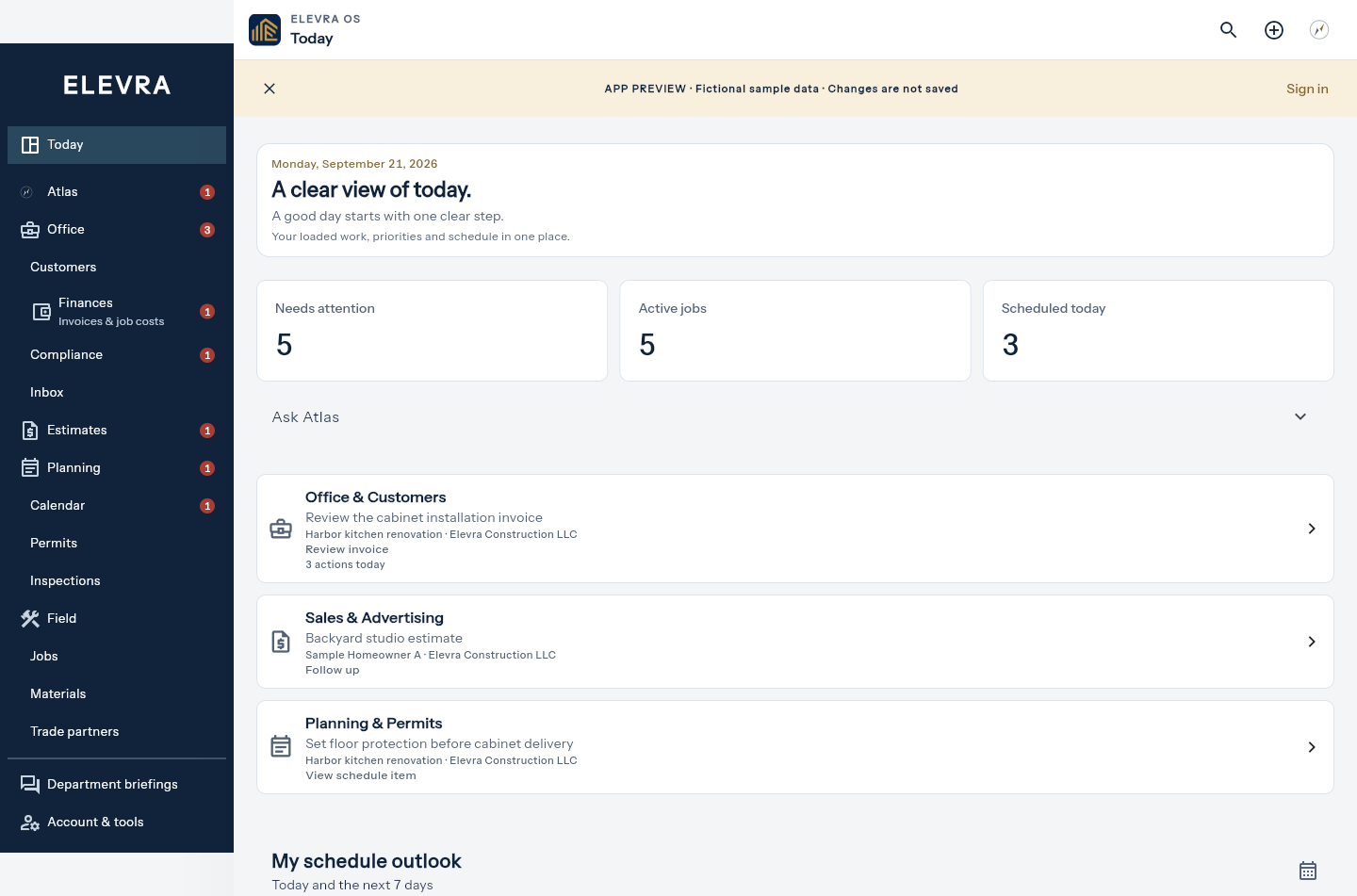
One shared source of truth
Elevra gives each person the context they need while keeping the customer, company, and project record connected from the office to the field.
Keep priorities, outside waits, compliance, permits, customer commitments, and money visible without chasing updates across separate systems.
Carry customer details, estimates, documents, schedules, permit requirements, and approved communication through one connected record.
Open the current job, confirm milestones, coordinate trades and materials, prepare inspections, and add field updates from the same workspace.
One operating system
Stop rebuilding the same project in disconnected spreadsheets, email threads, calendars, folders, portals, and payment tools. Elevra keeps the record together and turns it into the next useful action.
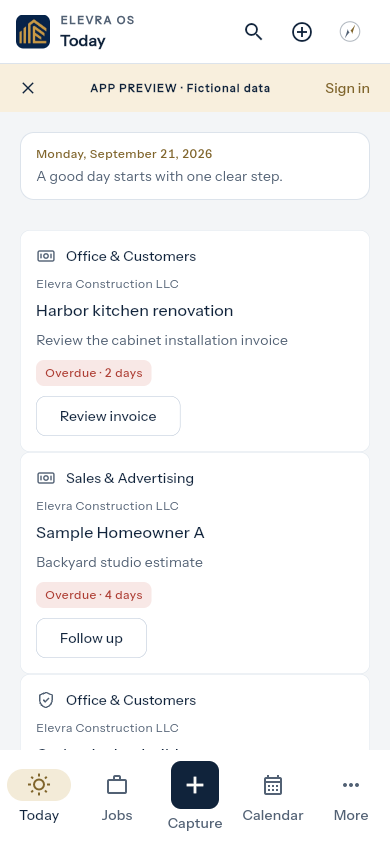
Scheduled work, overdue steps, and job follow-ups on your phone, with photo and note capture always close by.
Lead details, site information, estimates, approvals, and the full customer record stay connected.
Milestones, responsibilities, trade handoffs, materials, inspections, decisions, and closeout live together.
Build jurisdiction-aware checklists, organize plans and forms, preflight packets, and track corrections through approval.
Keep licenses, registrations, exemptions, insurance, and trade-partner requirements visible without cluttering today’s work.
Send company-correct invoices and give customers a clear view of payment status, history, and upcoming stages.
See the current workspace
These screens come from the current Elevra OS experience using synthetic demonstration records—never customer or private business data.
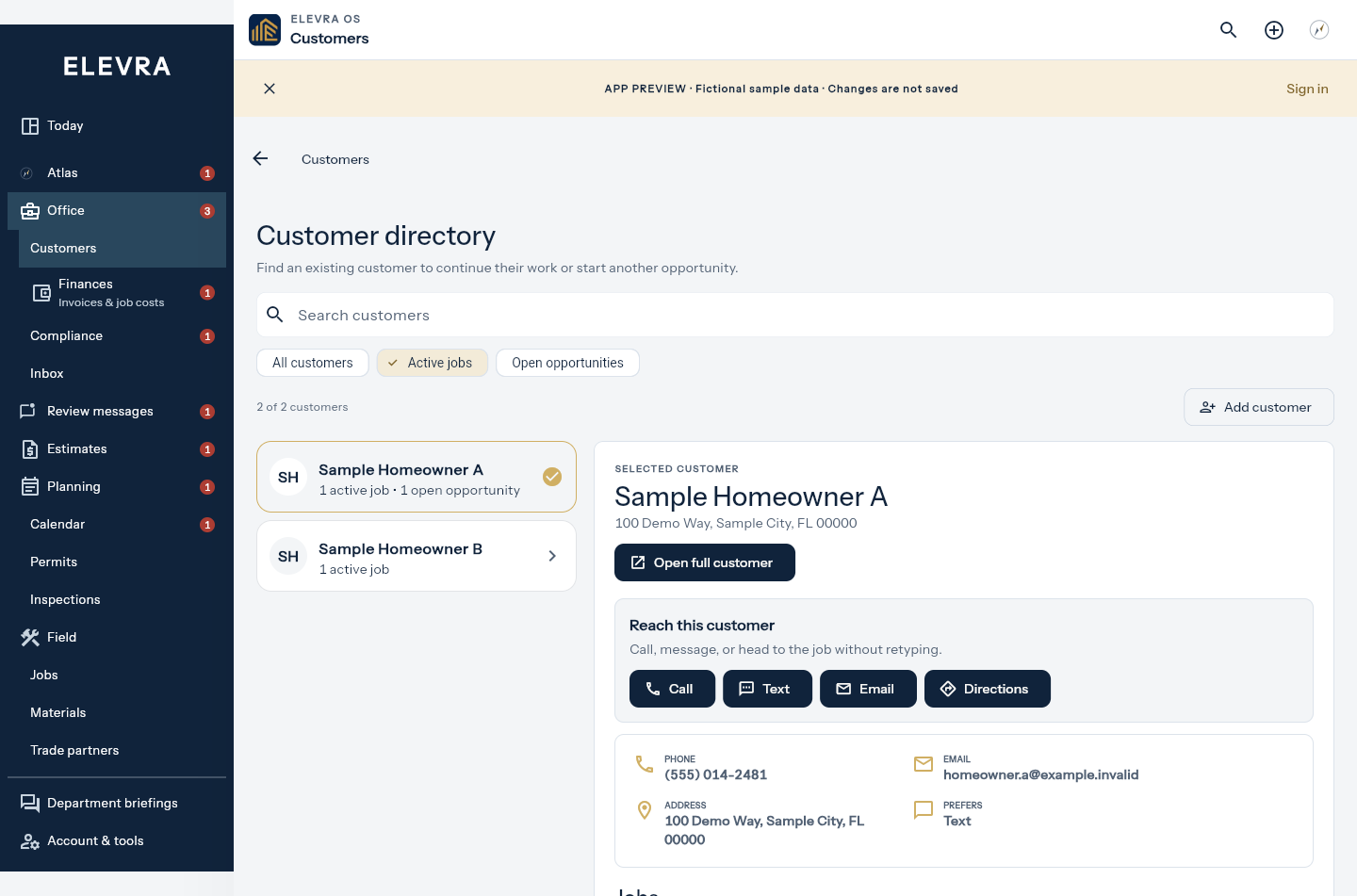
Contact information, estimate history, property details, files, and next steps stay connected in one record.
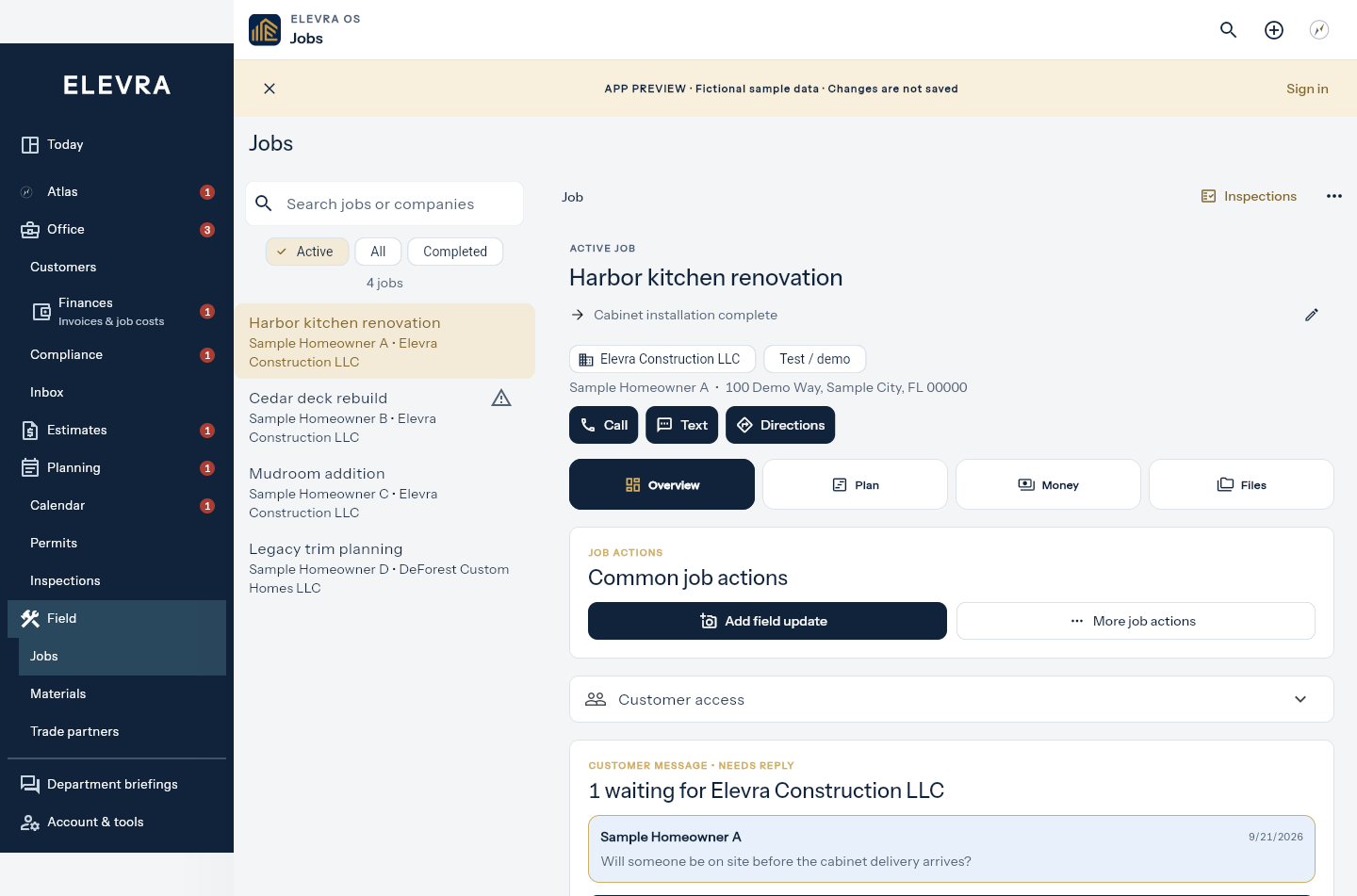
Use the Office job list and selected job workspace to review milestones, scheduling, files, decisions, and payments.
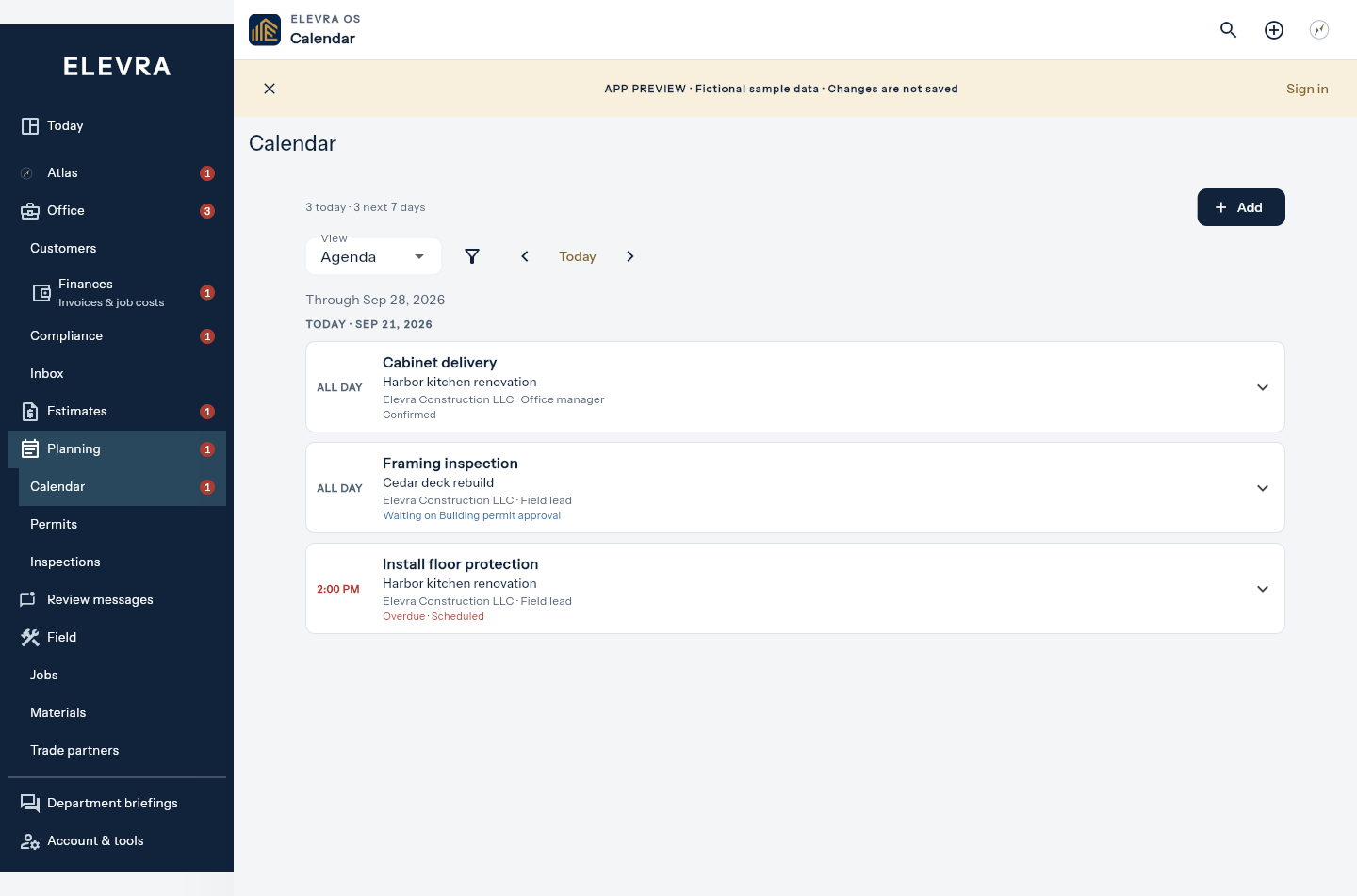
Use the schedule to coordinate milestones, appointments, inspections, deliveries, and reminders.
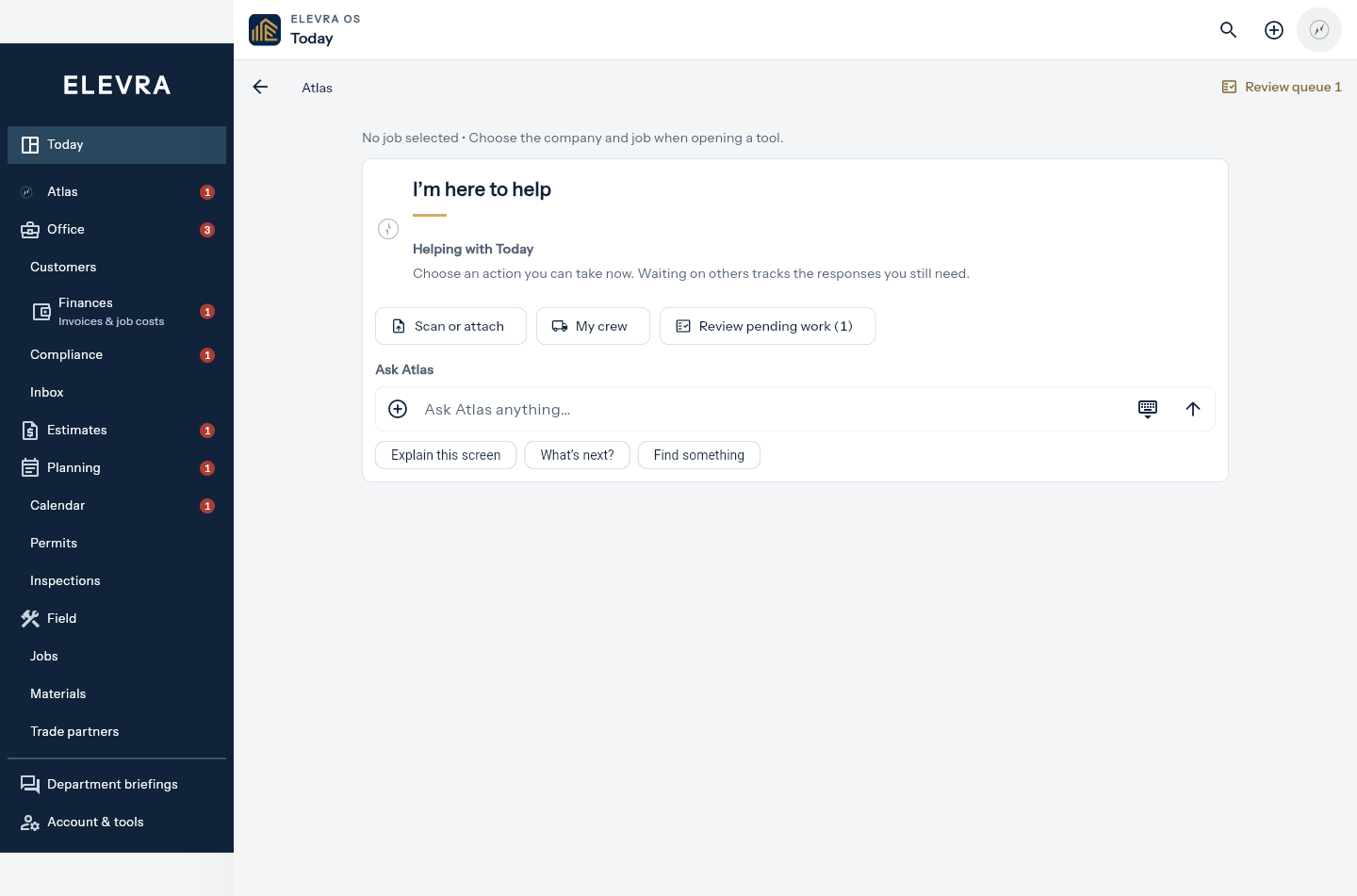
Atlas helps organize documents and messages, identify missing information, and prepare work for human review.
A working day in Elevra
The Field and Office views share the same job records. Move between them without rebuilding your schedule, files, or customer history.
See today's scheduled work and unfinished overdue steps. Follow-ups keep the responsible department and job visible.
Open the linked milestone or job record, review the details, and confirm what happened. Opening a record never completes it.
Add a photo, receipt, or note from the navigation bar. Keep it with a job, or leave it in Inbox to organize later.
Review the same jobs, files, schedules, materials, and customer records from the desktop workspace.
Permit Command Center
Start with the project information you already have. Elevra organizes the jurisdiction, property details, plans, forms, supporting documents, corrections, and portal status into one submission-ready record.

Atlas assists. You stay in control.
Atlas helps you find context, organize incoming information, and prepare work for review. The compass shows when help is available or needs your input. You still review and confirm consequential actions.
Important messages, changes, payments, and permit submissions remain reviewable. Automation supports the team—it does not remove accountability.
Professional outside. Organized inside.
Each customer receives a private, company-correct view of approved project information—while internal notes, costs, and operational details stay inside your workspace.
Built for responsible operations
Getting started
Downloading the app and joining a company workspace are intentionally separate. That extra step protects live customer and business information.
Install the free iPhone or iPad app, or use the full desktop workspace in a web browser.
Elevra confirms the right company workspace and team access before live business records become available.
Bring the customer, estimate, project, permit needs, schedule, and payment path into one working record.
Questions, answered clearly
Elevra OS is being shaped from active residential construction workflows—not a generic task manager with construction labels added later.
Open Sign in and choose Preview to explore a sample company with the current Field and Office navigation. Access to live company records requires an approved Elevra workspace invitation so business and customer information stays protected.
No. Elevra OS is designed around the way small construction companies actually operate, with enough structure to stay organized without adding a separate department to manage the software.
No. The company workspace remains private. Customers receive a separate, limited portal that shows only approved project information, decisions, files, invoices, and payment details.
Atlas can organize information, identify missing items, prepare forms, and draft the next action. Important external actions remain under human review, and permit submissions require explicit authorization.
Yes. Elevra OS is designed for the office and the field, with a full desktop workspace and a focused mobile experience that share the same current job information.
Yes. Company identity follows the customer, estimate, project, permit packet, customer portal, and invoice so the right business stays attached throughout the workflow.
A clearer way to run the work
Download Elevra OS for iPhone and iPad, or sign in to the full desktop workspace.